8 Jan 2009

Django Project creation check list

1) (Optional) Create new Project: django-admin.py startproject projectname
2a) Add to Apache config (replace evreything within <>):

<Location "/<location>/">
SetHandler python-program
PythonHandler django.core.handlers.modpython
SetEnv DJANGO_SETTINGS_MODULE ikariam.settings

PythonDebug On # disable this on a production site!

PythonPath "['<path to project root>'] + sys.path"
</Location>
# media files
Alias /media "/usr/lib/python2.4/site-packages/django/contrib/admin/media"

2b) Optionally run the python webserver: python manage.py runserver 8080
3) settings.py: Set TIME_ZONE = 'Europe/Zurich' and LANGUAGE_CODE = 'de-CH'
4) settings.py: Set Database config
5) settings.py: Add project
INSTALLED_APPS = (
'mysite.books', # or
'mysite'
)


6) example Model:
# $Id$
#
# if not specified, primarykeys will be generated automatically. A field
# with the name `id` is added as auto increment field. So do not specifically
# declare primarykeys manually unless needed.
# http://docs.djangoproject.com/en/dev/topics/db/models/#automatic-primary-key-fields
from django.db import models

class Schedule(models.Model):
# id = models.AutoField(primary_key=True)
start = models.TimeField()
end = models.TimeField()
lastmod = models.DateTimeField(auto_now=True)
inserted = models.DateTimeField(auto_now_add=True)

def __unicode__(self):
return self.start + " - " + self.end

class Price(models.Model):
# id = models.AutoField(primary_key=True)
name = models.CharField(max_length=10)
description = models.CharField(max_length=250)
lastmod = models.DateTimeField(auto_now=True)
inserted = models.DateTimeField(auto_now_add=True)

def __unicode__(self):
return self.name

class Event(models.Model):
# id = models.AutoField(primary_key=True)
name = models.CharField(max_length=30)
start = models.DateField()
end = models.DateField()

schedule = models.ForeignKey(Schedule)
price = models.ForeignKey(Price)

lastmod = models.DateTimeField(auto_now=True)
inserted = models.DateTimeField(auto_now_add=True)

def __unicode__(self):
return self.name

class Meta:
# db_table = u'ana_event'
ordering = ["name"]
verbose_name = "Event"
verbose_name_plural = "Events"

class Admin:
pass
# list_display = ("name", "start", "end")
# search_fields = ('name',)
# list_filter = ('name')
# ordering = ('x', 'y')

7) Check db creation and create Database:
python manage.py validate # validate db structure
python manage.py sqlall projectname # show creation SQL
python manage.py syncdb # create Database

8) Install the admin application. Do this by adding "django.contrib.admin" to your INSTALLED_APPS setting.
INSTALLED_APPS = (
'django.contrib.auth',
'django.contrib.contenttypes',
'django.contrib.sessions',
'django.contrib.sites',
'django.contrib.admin',
'ana'
)

9) Install url redirector
from django.conf.urls.defaults import *

# Uncomment the next two lines to enable the admin:
from django.contrib import admin
admin.autodiscover()

urlpatterns = patterns('',
# Example:
# (r'^ana/', include('ana.foo.urls')),

# Uncomment the admin/doc line below and add 'django.contrib.admindocs'
# to INSTALLED_APPS to enable admin documentation:
# (r'^admin/doc/', include('django.contrib.admindocs.urls')),

# Uncomment the next line to enable the admin:
# (r'admin/$', include('django.contrib.admin.urls')),
(r'^ana/admin/(.*)$', admin.site.root),
)

10) Write an aemin definition for the objects
from ana.models import Event
from django.contrib import admin

class EventAdmin(admin.ModelAdmin):
# fieldsets = [
# (None, {'fields': ['question']}),
# ('Date information', {'fields': ['pub_date'], 'classes': ['collapse']}),
# ]

# display these fields in the listing
list_display = ("name", "start", "end")

# add filter to the right of a listing
#list_filter = ['name']

# Let's add some search capability:
search_fields = ['name']

# Finally, because Poll objects have dates, it'd be convenient
# to be able to drill down by date. Add this line:
# date_hierarchy = 'pub_date'

# liste verkleinern
# def queryset(self, request):
# return self.model._default_manager.filter(ocean=0)

admin.site.register(Event, EventAdmin)

6 Jan 2009

Django

As everyone I became infected by Python lately. Django seems to be a nice web development framework which eases the pain of everyday tasks quiet nicely.

Luckily «The Django Book» is freely available in HTML. However, I hate going through the TOC over and over again, an RSS Feed in Firefox's Bookmark toolbar saves me 1-2 clicks for every lookup.


Here ist the TOC RSS.

17 Mar 2008

Ikariam, IkaTrader

i have written some greasemonkey scripts for ikariam.de. These help to get a better overview for trading: listing incoming ships, linsting all your ships (in-/outbound).

These scripts are written for firefox 2 utilizing the greasemonkey etxtension.

More about the features and downloads for IkaTrader.

16 Feb 2008

Ikariam grease monkey scripts

Autologin grease monkey script for Ikariam:

// ==UserScript==
// @name IkariamAutologin2
// @namespace Ikariam
// @include http://ikariam.de/
// ==/UserScript==

var SERVER = "s5.ikariam.de"; //Nur die Zahl verändern s1 = alpha, s2 = beta
var USERNAME = "username"; //Hier deinen Username eintragen
var PASSWORD = "password"; //Hier dein Passwort eintragen


document.getElementById("universe").value = SERVER;
document.getElementById("login").value = USERNAME;
document.getElementById("pwd").value = PASSWORD;

var url = "http://" + document.getElementById("universe").value + "/index.php?action=loginAvatar&function=login";

document.getElementById('loginForm').action = url;
document.getElementById("loginForm").submit();

7 Feb 2008

php5 beauty, reflection api

the php4 way

beside very usefull features like try/catch php5 has many little nifty features. i had to fetch all methods of a class, regardless of visibility. get_class_methods(mixed $class_name) has been introduced in php4 and is only able to get public methods. I needed a way to list protected/private methods of a class (without the need of executing them).

Reflection API
The reflection api (intreduced in php5) is a much more flexible way to find out information about a class, object, methods, properties, etc.

PHP5 Reflection API Documentation

List all methods of a class (public, private, protected, final, static):

<?php
$r = new ReflectionClass('Exception');
print_r($r->getMethods());
?>

26 Jan 2008

ivtv scanner and tuner

with my new pvr-150 from hauppauge i was wondering how to scan for channels.

it seems quiet simple:

echo "" > channels; 
c=0;
while [[ $c -lt 255 ]]; do
ivtv-tune -c $c | grep "Detected" | awk '{print $2"\t"'$c'}';
c=`expr $c + 1`;
done >> channels & \
tail -f channels

The above scanner scans by channel, this is not optimal if you are living in a not-so-well-known region and you have a brain dead tv provider which doesn't make the frequency table available online (like eblcom.ch a subsidary of cablecom).

the example below will scan by frequency rather than by channel:
#!/bin/bash

## begin config
start="170.000"; # float, must provide 3 decimal digits
end="1000.000"; # float, must provide 3 decimal digits
step="250"; # int, seps by thousands
file="channel.txt";
## end config

c=`echo $start \* 1000 | bc | sed -e 's/\.000//'`;
end=`echo $end \* 1000 | bc | sed -e 's/\.000//'`;
detected=0;
fstart=0;
fend=0;
last=0;

channel=0;

while [ $c -lt $end ]; do
freq=`echo "$c" | sed -e 's/\([0-9]\{3\}\)$/.\1/'`;
# echo "$c | $freq";
r=`ivtv-tune -f $freq | grep Detected`;
c=`echo "$c + 250" | bc`;

if [[ $detected == 0 ]]; then
if [[ -n "$r" ]]; then
fstart=$freq;
detected=1;
fi
else
if [[ -z "$r" ]]; then
fend=$last;
detected=0;

#echo "scale=3; ($fend - $fstart) / 2 + $fstart";
med=`echo "scale=3; ($fend - $fstart) / 2 + $fstart" | bc`;

echo "$channel $med";
echo "$channel $med" >> $file;

channel=`expr $channel + 1`;
fi
fi

last=$freq;

done


and here is a simple bash tuner
#!/bin/bash

# config
device=/dev/video0;
channels=~/.channels
lastchannel=~/.lastchannel
channel=1;
frequency=0;

if [[ -f "$lastchannel" ]]; then
channel=`cat $lastchannel`;
fi

# start mplayer
mplayer -vo xv /dev/video0 -ao sdl $device 2>&1 >/dev/null &
mplayerpid=$!;
echo "pid of mplayer: $mplayerpid";

# tun into other channel
function tune {
frequency=`cat $channels | awk '/^'$1'\t/ {print $2}'`;

if [[ -z "$frequency" ]]; then
echo "unknown channel $1" > /dev/stderr;
return 1;
fi

echo $1 > $lastchannel
channel=$1;
ivtv-tune -d $device -f $frequency 2>&1 >/dev/null&

return 0;
}

# tune default channel
tune $channel;

# main loop
while true; do

# read input
echo -en "Channel $channel/$frequency [or +/-] "; read c;

# validate input
c=`echo "$c" | sed -e 's/[^q0-9\+\-]//g '`;

# +/- change channel ?
if [[ "$c" == "+" ]]; then
tune `expr $channel + 1`;
continue;
fi

if [[ "$c" == "-" ]]; then
tune `expr $channel - 1`;
continue;
fi

# quit ?
if [[ "$c" == "q" ]]; then
kill -TERM $mplayerpid 2>/dev/null;
break;
fi

# numeric channel
if [[ -n "$c" ]]; then
tune $c;
continue;
fi

echo $c;
done

exit 0;

22 Jan 2008

Ubuntu Gutsy & Zattoo

works, but after some glitches. Zattoo (like many other commercial applications udner linux) uses OSS instead of ALSA. Why? Is OSS more *nix compatible ?

Anyway, as suggested, if you are using ALSA you need some glue to OSS to make many strange adio/video apps working (like flash player). This is true for zattoo too.

# sudo apt-get install alsa-oss

Then start Zattoo with
$ /usr/bin/zattoo_player

12 Jan 2008

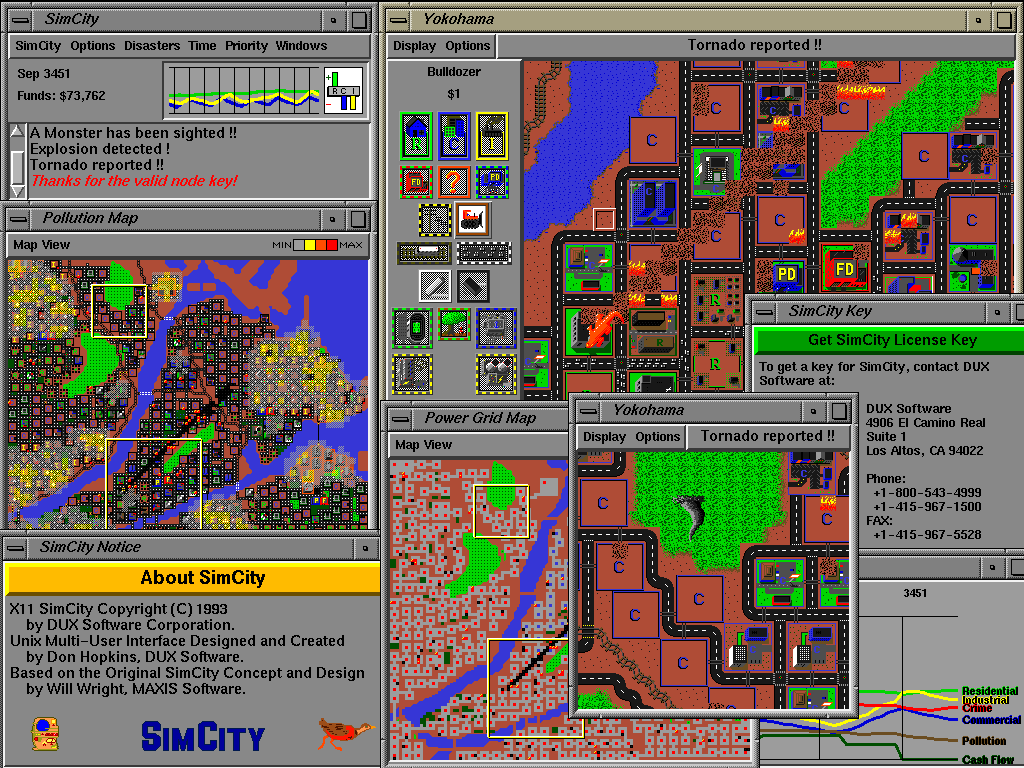
Metropolis - Open SimCity

SimCity was was released as opensource project with the code name Metropolis by Don Hopkins. There is not a lot of information available yet, i have skimmed the wiki so far.

Unfortunately, it does not work on Ubuntu Gutsy, this is what I get after installing the x86 build on my 32bit ubuntu install (i had to install yacc and libxpm-dev manually).

$ sudo apt-get install -y yacc libxpm-dev
I can only get to the main menu, it looks like this:


When I run the game the game starts but does not react to any user input:
spliffy@splatter:~/Desktop/micropolis-activity$ sh ./Micropolis -S
Starting Micropolis in /home/spliffy/Desktop/micropolis-activity ...
Welcome to X11 Multi Player Micropolis version 4.0 by Will Wright, Don Hopkins.
Copyright (C) 2002 by Electronic Arts, Maxis. All rights reserved.
sh: Syntax error: Bad fd number
Adding a player on :0.0 ...
Cool, I found the shared memory extension!

Micropolis has been terminated by a signal.
Pick a window -- you're leaving!


spliffy@splatter:~/Desktop/micropolis-activity$ sh ./Micropolis
Starting Micropolis in /home/spliffy/Desktop/micropolis-activity ...
Welcome to X11 Multi Player Micropolis version 4.0 by Will Wright, Don Hopkins.
Copyright (C) 2002 by Electronic Arts, Maxis. All rights reserved.
sh: Syntax error: Bad fd number
Adding a player on :0.0 ...
Cool, I found the shared memory extension!

Micropolis has been terminated by a signal.
Pick a window -- you're leaving!
Does someboy know how to fix this? i am really looking forward to play SimCity :)

Screenshot:


7 Jan 2008

continous read from bash pipe

Pipes are great, I love pipes. This is the reason I love the unix way of live, thousands of small utilities (if you know them) which usually read from /dev/stdin and output to /dev/stdout. So simple and powerfull that it is often overseen (by gui users). Tese examples are for bash:

Creating a pipe

mkfifo /tmp/pipe

Continously reading from a pipe:
while true; do
if [[ ! -p /tmp/pipe ]]; then break; fi
l="`cat /tmp/pipe`";
echo "$l";
done &

Writing to the pipe:
echo -en "a\nb\n" >> /tmp/pipe

bash completion for SQL*Plus -- sweet!

just found the following script from Kris Rice:

------FILE-------
_sqlplus()
{
local cur
COMPREPLY=()
cur=${COMP_WORDS[COMP_CWORD]}
prev=${COMP_WORDS[COMP_CWORD-1]}

if [ $COMP_CWORD -eq 1 ] && [[ "$cur" == -* ]]; then
# return a list of switched
COMPREPLY=( $( compgen -W '-H -V -C -L -M -R -S' -- $cur ) )
elif [[ "$cur" == "/" ]]; then
# only /nolog is possible
COMPREPLY=( $( compgen -W '/nolog' -- $cur ) )
elif [[ "$prev" == "as" ]]; then
# as sysdba sysoper
COMPREPLY=( $( compgen -W 'sysdba sysoper' -- $cur ) )
elif [[ "$prev" == "-R" ]]; then
# added for completness
COMPREPLY=( $( compgen -W '1 2 3' -- $cur ) )
elif [[ "$cur" =~ "@" ]]; then
# if @
base=${cur:1}
COMPREPLY=( ${COMPREPLY[@]:-} $( compgen -f -P "@" -X "$xspec" -- "$base" ) $( compgen -d -P "@" -- "$base" ) )
elif [[ "$prev" =~ "@" ]]; then
# if @
COMPREPLY=( ${COMPREPLY[@]:-} $( compgen -f -P "@" -X "$xspec" -- "$cur" ) $( compgen -d -P "@" -- "$cur" ) )
elif [[ "$*" =~ "/" ]] ;then
# already has a / assume it's the pass
COMPREPLY=
else
#default
_history
fi
}
complete -F _sqlplus $nospace $filenames sqlplus


_history()
{
local cur
cur=${COMP_WORDS[COMP_CWORD]}
COMPREPLY=( $( compgen -W '$( command grep "^sqlplus" ~/.bash_history ) ' -- $cur ) )
}
------FILE-------

5 Jan 2008

oracle 10 on Linux

working with oracle now I wanted a system for experimenting. I find reporting tasks a lot easier to be done from a *nix system as from windows, altough I haven't used oracle so far (experiences from other db systems). Unfortunately my employer mostly favours windows.

So I have decided to install Oracle 10 on a linux system. The first install was tedous, I have decided to download the deb from oracle.com. After finding out there are some apt channels, I have added the following source to /etc/apt/sources.list and installed as follows:

# echo -en "\n# oracle 10\n >> /etc/apt/sources.list"
# echo -en "deb http://oss.oracle.com/debian unstable main non-free\n" >> \
/etc/apt/sources.list
$ wget http://oss.oracle.com/el4/RPM-GPG-KEY-oracle -O- | sudo apt-key add -
$ sudo apt-get update
$ sudo apt-get install -y oracle-xe oracle-xe-client cl-sql-oracle


run the post configuration script:
$ sudo /etc/init.d/oracle-xe configure


make sure the service is running:
$ sudo /etc/init.d/oracle-xe start


then add a new user (make it a dba)
<http://127.0.0.1:8080>

restart the database service:
sudo /etc/init.d/oracle-xe restart


generate a tns file in your home directory, save it unter ~/tnsnames.ora:
<FQDN> =
(DESCRIPTION =
(ADDRESS_LIST =
(ADDRESS =
(COMMUNITY = tcp.world)
(PROTOCOL = TCP)
(Host = 10.0.0.33)
(Port = 1521)
)
)
(CONNECT_DATA = (SID = <HOSTNAME>)
)
)


replace <FQDN> with fulyl qualified domain name and <HOSTNAME> with the actual hostname.

then you should be able to connect to your database. use sqlplus to do so:
$ sqlplus <user>/<pass>@<HOSTNAME>


Now you should have a setup with one database administrator.

24 Dec 2007

debian and eth0:0

I often use eth0:0 to emulate a second interface. I have been struggeling with ubuntu and debian to get this interface brought up automatically. It appears to be nessecary to set both interfaces to allow-hotplug eth0[:0].

# This file describes the network interfaces available on your system
# and how to activate them. For more information, see interfaces(5).

# The loopback network interface
auto lo
iface lo inet loopback

# The primary network interface
allow-hotplug eth0
iface eth0 inet dhcp

allow-hotplug eth0:0
auto eth0:0
iface eth0:0 inet static
address 10.0.1.1
network 10.0.1.0
netmask 255.255.255.0
gateway 10.0.0.1

4 Nov 2007

javascript implementation of a php/javascript/css/sql/perl and html editor

Codepress is a really nice html/javascript/php/perl/sql/java and css editor. It will display your code color coded (syntax highlighting) and can give you syntax completion features.

batch conversion from svg to png

I often need icons in different sizes as raster graphics. It seems to be easier to create/maintain these graphics as vector images and the convert them in all needed sizes as raster images.

Formats
I have decided to use svg as vector format. It can be conveniently and freely be edited with inkscape. The output format is svg because I need these images in web pages. png does offer transparent gradients (in contrast to gif, which only allows one indexed color to be transparent). Internet explorer does not handle png transparency by default, you must use a filter. Dean edwards' /IE7/ remove many quirks from ie6 and lower by using clever js and css tricks. alpha transparency for png can also be enabled with /IE7/.


Batch conversion
I have been using the ImageMagick command line utilites for scripted image manipulation with a lot of joy. Unfortunately ImageMagick is only capable of manipulating raster graphics. Fortunately, though, inkscape comes with a quiet hand command line interface to get this job done. inkscape can export svg images in various png sizes (and loads more).

Example

inkscape --without-gui --file=lib/icons/scalable/apps/calc.svg \
--export-png=calc.png --export-width=48 \
--export-height=48 && eog calc.png


This command will convert an svg image (lib/icons/scalable/apps/calc.svg) into a png image (calc.png) with a size of 48*48 pixels. Wehn the conversion comamnd (inkscape) succeeds, the result is dispalyed in gnomes image viewer ( eoc calc.png).

for converting a directory structure to different sizes of png sets, I have used the following script:
#!/usr/bin/env bash

# abort if we don't have a lib directory
if [[ ! -d lib/ ]]; then
echo "Must be run from the application's main directory."
exit 1;
fi

# config
TARGET=lib/stockitems
SIZES="12 16 24 32 48 72 96";
FILES=`find ./lib/icons/scalable -name "*.svg"`;

# purge target dir
if [[ -d "$TARGET" ]]; then
rm -R "$TARGET";
fi
mkdir "$TARGET";

# convert all files to the $SIZES dimensions
for size in $SIZES; do
echo $size;
for file in $FILES; do
target="$TARGET/${size}x$size/"`echo $file | sed -e \
's/^\.\/lib\/icons\/scalable\///; s/svg$/png/'`;
parent=`dirname $target`;
if [[ ! -d "$parent" ]]; then mkdir -p "$parent"; fi
inkscape --without-gui --file=$file --export-png=$target \
--export-width=$size --export-height=$size;
done
done

exit 0;

1 Nov 2007

eclipse and database management

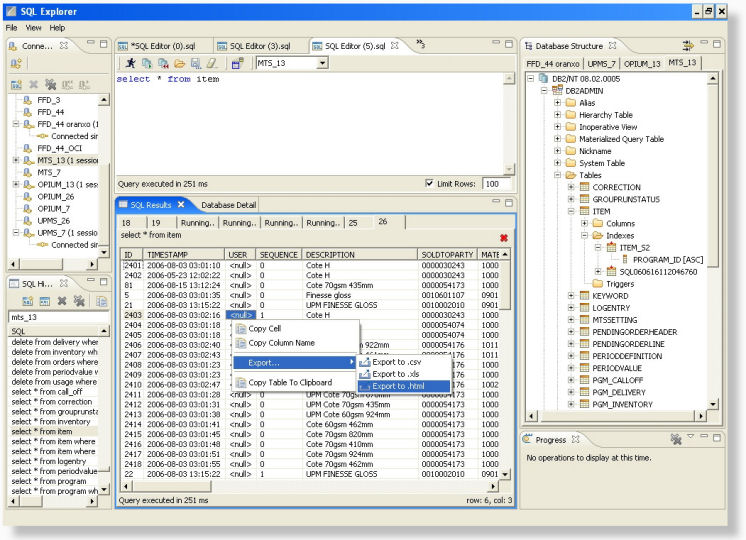
I just stumbled over a usefull Database browser and query editor called Eclipse SQL Explorer.

Installation does not work from within eclipse. I couldn't add the provided channel and had to download the zip file then extracted it in the eclipse directory.


Drivers


Drivers don't ship withthe tool. these must first be fetched maually or every product.

Fortunately SUN has a list of available JDBC Drivers which helps to find (mostly commercial) drivers. Open Drivers I have used: