16 Feb 2008

Ikariam grease monkey scripts

Autologin grease monkey script for Ikariam:

// ==UserScript==
// @name IkariamAutologin2
// @namespace Ikariam
// @include http://ikariam.de/
// ==/UserScript==

var SERVER = "s5.ikariam.de"; //Nur die Zahl verändern s1 = alpha, s2 = beta
var USERNAME = "username"; //Hier deinen Username eintragen
var PASSWORD = "password"; //Hier dein Passwort eintragen


document.getElementById("universe").value = SERVER;
document.getElementById("login").value = USERNAME;
document.getElementById("pwd").value = PASSWORD;

var url = "http://" + document.getElementById("universe").value + "/index.php?action=loginAvatar&function=login";

document.getElementById('loginForm').action = url;
document.getElementById("loginForm").submit();

7 Feb 2008

php5 beauty, reflection api

the php4 way

beside very usefull features like try/catch php5 has many little nifty features. i had to fetch all methods of a class, regardless of visibility. get_class_methods(mixed $class_name) has been introduced in php4 and is only able to get public methods. I needed a way to list protected/private methods of a class (without the need of executing them).

Reflection API
The reflection api (intreduced in php5) is a much more flexible way to find out information about a class, object, methods, properties, etc.

PHP5 Reflection API Documentation

List all methods of a class (public, private, protected, final, static):

<?php
$r = new ReflectionClass('Exception');
print_r($r->getMethods());
?>

26 Jan 2008

ivtv scanner and tuner

with my new pvr-150 from hauppauge i was wondering how to scan for channels.

it seems quiet simple:

echo "" > channels; 
c=0;
while [[ $c -lt 255 ]]; do
ivtv-tune -c $c | grep "Detected" | awk '{print $2"\t"'$c'}';
c=`expr $c + 1`;
done >> channels & \
tail -f channels

The above scanner scans by channel, this is not optimal if you are living in a not-so-well-known region and you have a brain dead tv provider which doesn't make the frequency table available online (like eblcom.ch a subsidary of cablecom).

the example below will scan by frequency rather than by channel:
#!/bin/bash

## begin config
start="170.000"; # float, must provide 3 decimal digits
end="1000.000"; # float, must provide 3 decimal digits
step="250"; # int, seps by thousands
file="channel.txt";
## end config

c=`echo $start \* 1000 | bc | sed -e 's/\.000//'`;
end=`echo $end \* 1000 | bc | sed -e 's/\.000//'`;
detected=0;
fstart=0;
fend=0;
last=0;

channel=0;

while [ $c -lt $end ]; do
freq=`echo "$c" | sed -e 's/\([0-9]\{3\}\)$/.\1/'`;
# echo "$c | $freq";
r=`ivtv-tune -f $freq | grep Detected`;
c=`echo "$c + 250" | bc`;

if [[ $detected == 0 ]]; then
if [[ -n "$r" ]]; then
fstart=$freq;
detected=1;
fi
else
if [[ -z "$r" ]]; then
fend=$last;
detected=0;

#echo "scale=3; ($fend - $fstart) / 2 + $fstart";
med=`echo "scale=3; ($fend - $fstart) / 2 + $fstart" | bc`;

echo "$channel $med";
echo "$channel $med" >> $file;

channel=`expr $channel + 1`;
fi
fi

last=$freq;

done


and here is a simple bash tuner
#!/bin/bash

# config
device=/dev/video0;
channels=~/.channels
lastchannel=~/.lastchannel
channel=1;
frequency=0;

if [[ -f "$lastchannel" ]]; then
channel=`cat $lastchannel`;
fi

# start mplayer
mplayer -vo xv /dev/video0 -ao sdl $device 2>&1 >/dev/null &
mplayerpid=$!;
echo "pid of mplayer: $mplayerpid";

# tun into other channel
function tune {
frequency=`cat $channels | awk '/^'$1'\t/ {print $2}'`;

if [[ -z "$frequency" ]]; then
echo "unknown channel $1" > /dev/stderr;
return 1;
fi

echo $1 > $lastchannel
channel=$1;
ivtv-tune -d $device -f $frequency 2>&1 >/dev/null&

return 0;
}

# tune default channel
tune $channel;

# main loop
while true; do

# read input
echo -en "Channel $channel/$frequency [or +/-] "; read c;

# validate input
c=`echo "$c" | sed -e 's/[^q0-9\+\-]//g '`;

# +/- change channel ?
if [[ "$c" == "+" ]]; then
tune `expr $channel + 1`;
continue;
fi

if [[ "$c" == "-" ]]; then
tune `expr $channel - 1`;
continue;
fi

# quit ?
if [[ "$c" == "q" ]]; then
kill -TERM $mplayerpid 2>/dev/null;
break;
fi

# numeric channel
if [[ -n "$c" ]]; then
tune $c;
continue;
fi

echo $c;
done

exit 0;

22 Jan 2008

Ubuntu Gutsy & Zattoo

works, but after some glitches. Zattoo (like many other commercial applications udner linux) uses OSS instead of ALSA. Why? Is OSS more *nix compatible ?

Anyway, as suggested, if you are using ALSA you need some glue to OSS to make many strange adio/video apps working (like flash player). This is true for zattoo too.

# sudo apt-get install alsa-oss

Then start Zattoo with
$ /usr/bin/zattoo_player

12 Jan 2008

Metropolis - Open SimCity

SimCity was was released as opensource project with the code name Metropolis by Don Hopkins. There is not a lot of information available yet, i have skimmed the wiki so far.

Unfortunately, it does not work on Ubuntu Gutsy, this is what I get after installing the x86 build on my 32bit ubuntu install (i had to install yacc and libxpm-dev manually).

$ sudo apt-get install -y yacc libxpm-dev
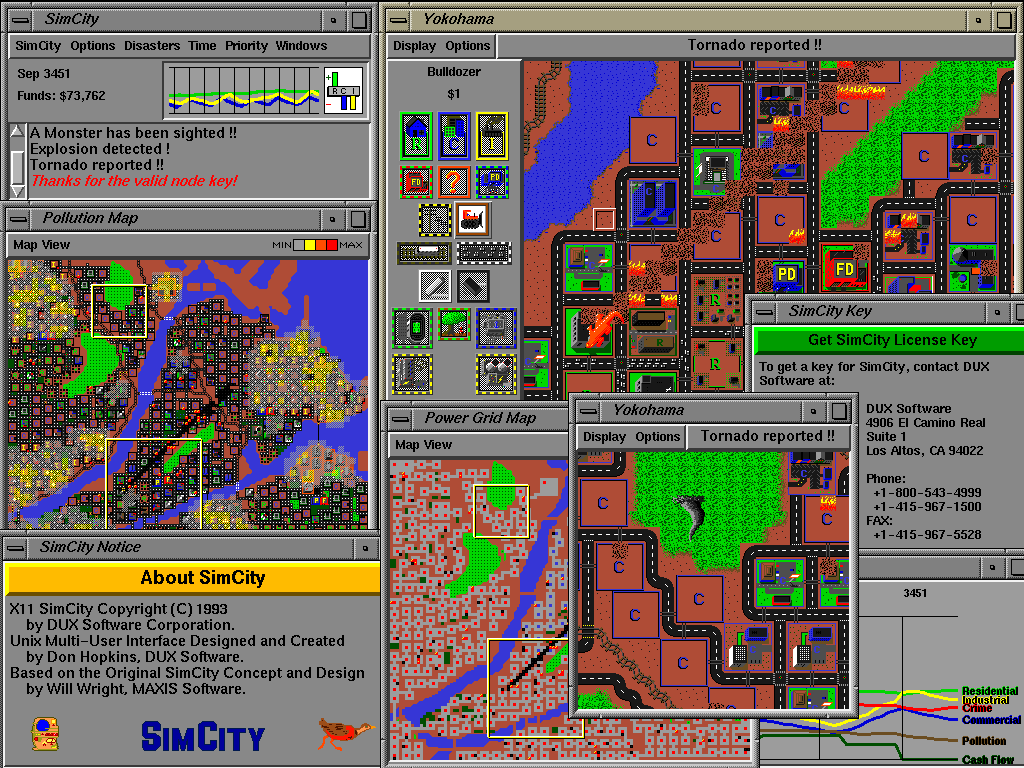
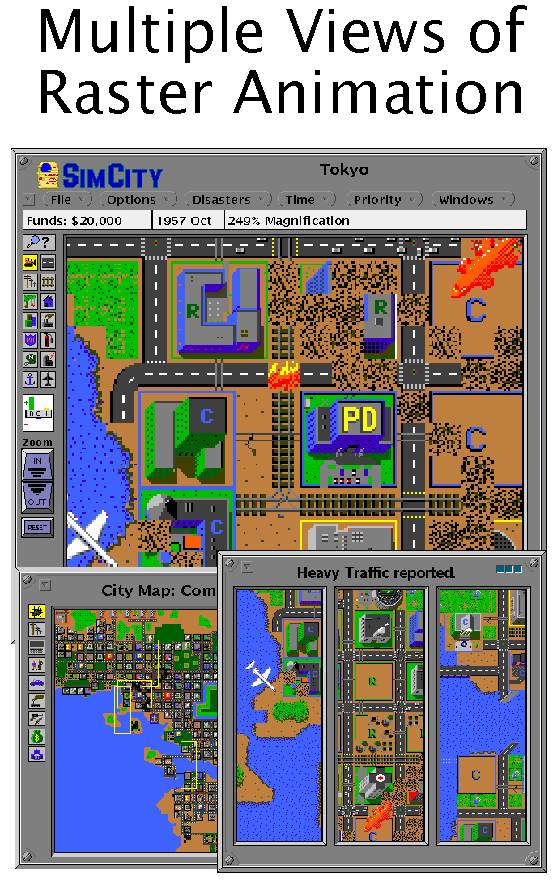
I can only get to the main menu, it looks like this:


When I run the game the game starts but does not react to any user input:
spliffy@splatter:~/Desktop/micropolis-activity$ sh ./Micropolis -S
Starting Micropolis in /home/spliffy/Desktop/micropolis-activity ...
Welcome to X11 Multi Player Micropolis version 4.0 by Will Wright, Don Hopkins.
Copyright (C) 2002 by Electronic Arts, Maxis. All rights reserved.
sh: Syntax error: Bad fd number
Adding a player on :0.0 ...
Cool, I found the shared memory extension!

Micropolis has been terminated by a signal.
Pick a window -- you're leaving!


spliffy@splatter:~/Desktop/micropolis-activity$ sh ./Micropolis
Starting Micropolis in /home/spliffy/Desktop/micropolis-activity ...
Welcome to X11 Multi Player Micropolis version 4.0 by Will Wright, Don Hopkins.
Copyright (C) 2002 by Electronic Arts, Maxis. All rights reserved.
sh: Syntax error: Bad fd number
Adding a player on :0.0 ...
Cool, I found the shared memory extension!

Micropolis has been terminated by a signal.
Pick a window -- you're leaving!
Does someboy know how to fix this? i am really looking forward to play SimCity :)

Screenshot:


7 Jan 2008

continous read from bash pipe

Pipes are great, I love pipes. This is the reason I love the unix way of live, thousands of small utilities (if you know them) which usually read from /dev/stdin and output to /dev/stdout. So simple and powerfull that it is often overseen (by gui users). Tese examples are for bash:

Creating a pipe

mkfifo /tmp/pipe

Continously reading from a pipe:
while true; do
if [[ ! -p /tmp/pipe ]]; then break; fi
l="`cat /tmp/pipe`";
echo "$l";
done &

Writing to the pipe:
echo -en "a\nb\n" >> /tmp/pipe

bash completion for SQL*Plus -- sweet!

just found the following script from Kris Rice:

------FILE-------
_sqlplus()
{
local cur
COMPREPLY=()
cur=${COMP_WORDS[COMP_CWORD]}
prev=${COMP_WORDS[COMP_CWORD-1]}

if [ $COMP_CWORD -eq 1 ] && [[ "$cur" == -* ]]; then
# return a list of switched
COMPREPLY=( $( compgen -W '-H -V -C -L -M -R -S' -- $cur ) )
elif [[ "$cur" == "/" ]]; then
# only /nolog is possible
COMPREPLY=( $( compgen -W '/nolog' -- $cur ) )
elif [[ "$prev" == "as" ]]; then
# as sysdba sysoper
COMPREPLY=( $( compgen -W 'sysdba sysoper' -- $cur ) )
elif [[ "$prev" == "-R" ]]; then
# added for completness
COMPREPLY=( $( compgen -W '1 2 3' -- $cur ) )
elif [[ "$cur" =~ "@" ]]; then
# if @
base=${cur:1}
COMPREPLY=( ${COMPREPLY[@]:-} $( compgen -f -P "@" -X "$xspec" -- "$base" ) $( compgen -d -P "@" -- "$base" ) )
elif [[ "$prev" =~ "@" ]]; then
# if @
COMPREPLY=( ${COMPREPLY[@]:-} $( compgen -f -P "@" -X "$xspec" -- "$cur" ) $( compgen -d -P "@" -- "$cur" ) )
elif [[ "$*" =~ "/" ]] ;then
# already has a / assume it's the pass
COMPREPLY=
else
#default
_history
fi
}
complete -F _sqlplus $nospace $filenames sqlplus


_history()
{
local cur
cur=${COMP_WORDS[COMP_CWORD]}
COMPREPLY=( $( compgen -W '$( command grep "^sqlplus" ~/.bash_history ) ' -- $cur ) )
}
------FILE-------

5 Jan 2008

oracle 10 on Linux

working with oracle now I wanted a system for experimenting. I find reporting tasks a lot easier to be done from a *nix system as from windows, altough I haven't used oracle so far (experiences from other db systems). Unfortunately my employer mostly favours windows.

So I have decided to install Oracle 10 on a linux system. The first install was tedous, I have decided to download the deb from oracle.com. After finding out there are some apt channels, I have added the following source to /etc/apt/sources.list and installed as follows:

# echo -en "\n# oracle 10\n >> /etc/apt/sources.list"
# echo -en "deb http://oss.oracle.com/debian unstable main non-free\n" >> \
/etc/apt/sources.list
$ wget http://oss.oracle.com/el4/RPM-GPG-KEY-oracle -O- | sudo apt-key add -
$ sudo apt-get update
$ sudo apt-get install -y oracle-xe oracle-xe-client cl-sql-oracle


run the post configuration script:
$ sudo /etc/init.d/oracle-xe configure


make sure the service is running:
$ sudo /etc/init.d/oracle-xe start


then add a new user (make it a dba)
<http://127.0.0.1:8080>

restart the database service:
sudo /etc/init.d/oracle-xe restart


generate a tns file in your home directory, save it unter ~/tnsnames.ora:
<FQDN> =
(DESCRIPTION =
(ADDRESS_LIST =
(ADDRESS =
(COMMUNITY = tcp.world)
(PROTOCOL = TCP)
(Host = 10.0.0.33)
(Port = 1521)
)
)
(CONNECT_DATA = (SID = <HOSTNAME>)
)
)


replace <FQDN> with fulyl qualified domain name and <HOSTNAME> with the actual hostname.

then you should be able to connect to your database. use sqlplus to do so:
$ sqlplus <user>/<pass>@<HOSTNAME>


Now you should have a setup with one database administrator.

24 Dec 2007

debian and eth0:0

I often use eth0:0 to emulate a second interface. I have been struggeling with ubuntu and debian to get this interface brought up automatically. It appears to be nessecary to set both interfaces to allow-hotplug eth0[:0].

# This file describes the network interfaces available on your system
# and how to activate them. For more information, see interfaces(5).

# The loopback network interface
auto lo
iface lo inet loopback

# The primary network interface
allow-hotplug eth0
iface eth0 inet dhcp

allow-hotplug eth0:0
auto eth0:0
iface eth0:0 inet static
address 10.0.1.1
network 10.0.1.0
netmask 255.255.255.0
gateway 10.0.0.1

4 Nov 2007

javascript implementation of a php/javascript/css/sql/perl and html editor

Codepress is a really nice html/javascript/php/perl/sql/java and css editor. It will display your code color coded (syntax highlighting) and can give you syntax completion features.

batch conversion from svg to png

I often need icons in different sizes as raster graphics. It seems to be easier to create/maintain these graphics as vector images and the convert them in all needed sizes as raster images.

Formats
I have decided to use svg as vector format. It can be conveniently and freely be edited with inkscape. The output format is svg because I need these images in web pages. png does offer transparent gradients (in contrast to gif, which only allows one indexed color to be transparent). Internet explorer does not handle png transparency by default, you must use a filter. Dean edwards' /IE7/ remove many quirks from ie6 and lower by using clever js and css tricks. alpha transparency for png can also be enabled with /IE7/.


Batch conversion
I have been using the ImageMagick command line utilites for scripted image manipulation with a lot of joy. Unfortunately ImageMagick is only capable of manipulating raster graphics. Fortunately, though, inkscape comes with a quiet hand command line interface to get this job done. inkscape can export svg images in various png sizes (and loads more).

Example

inkscape --without-gui --file=lib/icons/scalable/apps/calc.svg \
--export-png=calc.png --export-width=48 \
--export-height=48 && eog calc.png


This command will convert an svg image (lib/icons/scalable/apps/calc.svg) into a png image (calc.png) with a size of 48*48 pixels. Wehn the conversion comamnd (inkscape) succeeds, the result is dispalyed in gnomes image viewer ( eoc calc.png).

for converting a directory structure to different sizes of png sets, I have used the following script:
#!/usr/bin/env bash

# abort if we don't have a lib directory
if [[ ! -d lib/ ]]; then
echo "Must be run from the application's main directory."
exit 1;
fi

# config
TARGET=lib/stockitems
SIZES="12 16 24 32 48 72 96";
FILES=`find ./lib/icons/scalable -name "*.svg"`;

# purge target dir
if [[ -d "$TARGET" ]]; then
rm -R "$TARGET";
fi
mkdir "$TARGET";

# convert all files to the $SIZES dimensions
for size in $SIZES; do
echo $size;
for file in $FILES; do
target="$TARGET/${size}x$size/"`echo $file | sed -e \
's/^\.\/lib\/icons\/scalable\///; s/svg$/png/'`;
parent=`dirname $target`;
if [[ ! -d "$parent" ]]; then mkdir -p "$parent"; fi
inkscape --without-gui --file=$file --export-png=$target \
--export-width=$size --export-height=$size;
done
done

exit 0;

1 Nov 2007

eclipse and database management

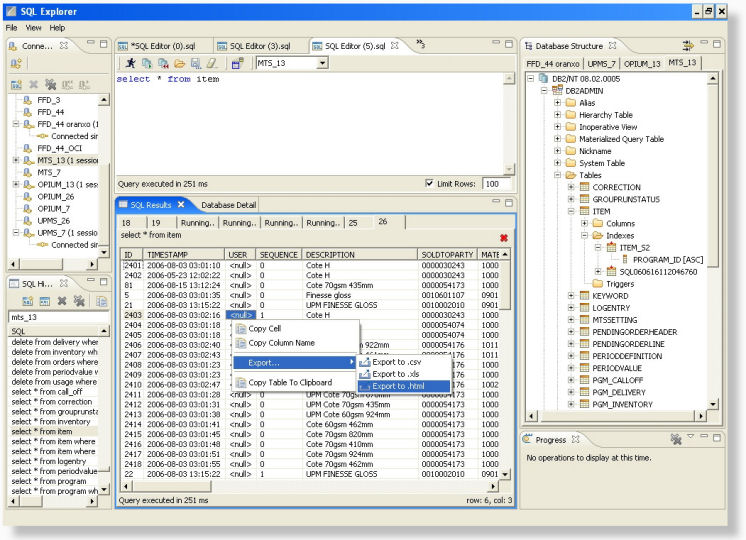
I just stumbled over a usefull Database browser and query editor called Eclipse SQL Explorer.

Installation does not work from within eclipse. I couldn't add the provided channel and had to download the zip file then extracted it in the eclipse directory.


Drivers


Drivers don't ship withthe tool. these must first be fetched maually or every product.

Fortunately SUN has a list of available JDBC Drivers which helps to find (mostly commercial) drivers. Open Drivers I have used:

28 Oct 2007

phpeclips, after install hickups.

Class Browser

PHPeclipse is a really nice ide for working on php projects. I have started to use PHPeclipse as my main development editor. It offers so much convenience, like the built in class tree (AKA Outline).

Outline displays a lot of information about your classes. It gives a good overview about visibility (public, protected, private) and also lets you know if a method is abstract, final or if it is an interface. Furthermore, the versioning system status is displayed (CVS/SVN and probably more) for class methods, constants and properties.

Source Control

The Synchronizing Perspective gives great control of the currently edited files. Easy and accessible diffs and tree views of changed files.

The source control features will also integrate cvs/svn blame into the current view. the gutter will be colored in defferent colors (by version) and when you hover over the gutter with the mouse you can see the commit comment, date, etc.

These are the strengths of PHPeclipse after the first impression. But there where some hickups after the first couple of editing sessions:

Color coding for html/xml files


by default, phpeclipse in version 3.2.x does not colorcode html/xml files. This is really needed for php web development. The eclipse Web Tools Platform (WTP) will add the needed features. It has proven (once more) to be very convenient/bulletproof to use the internal eclipse installer to install this features. So i have started eclipse as root user (this is on a debian linux system):

sudo eclipse

Then open "Help » Software Updates » Find and Install ...", select the "Search for new Features to install" radiobutton and click "Next >".


Select the Callisto Discovery site:


Make sure to "Automatically select mirrors" checkbox is active and click "Finish".

On the next dialog I did select "Web and J2EE Development" and did select (and this is important) click on the [Select Required] button to select all dependencies.


This worked for me on ubuntu feisty and debian etch.

Opening class declarations and properties

This did not work after I had created my first php project. I did check it out from an svn repository. Some of my class and functions names were unknown to phpeclipse, altough the include path was correct. I have found out that i need to add some information to the workspace's .project file. Open your project file (it might look different to the example below) and make sure the red lines are in your file.

This forum post describes how you can fix your project.

27 Oct 2007

migrating vom cvs to svn

cvs is a simple and robust versioning system. I have been using it for a long time and was quiet happy. Due to familiarity with cvs I have not considered changing to another system but some things are very annoying in cvs (renaming directories, tags or branches - anyone?).

Svn looks very promising because it uses a very similar interface compared to cvs, great! It seems to be faster, more flexible but still remains the simplicity of cvs. Also, there is broad support for svn in other applications such as eclipse, nautilus, kdevelop (to name a few) and bindings to many programming languages. Furthermore, there are conversion scripts to automagically convert cvs repos into svn repos.

Installation
As always, this instructions should work on a debian system (such as ubuntu, or debian etch).

sudo apt-get install -y subversion cvs2svn
(Optional packages)

Converting your CVS repository to SVN
The svn site has good interesting howto on how to use svn for a cvs user. This post will just cover the absolutely minimum to get you started.

Create a repository:
svnadmin create /usr/local/repos
Then import the old cvs repository:
cvs2svn --existing-svnrepos -s /home/svn/ /home/cvs/
That's it. your CVS Repository is now migrated.

Checking out your project
svn checkout file:///home/svn/trunk/parser /tmp/parser
Assuming your path to the repo is /home/svn and the module you want to checkout is called parser and the target directory is /tmp/parser you can checkout with the above command.

Nautilus integration
sudo apt-get install -y nautilus-script-collection-svn
To activate the subversion menu in nautilus, you must run this command manually:
nautilus-script-manager enable Subversion
Then restart nautilus. That's all folks. Have fun.

26 Oct 2007

phpeclipse on ubuntu

First of all; I have finally found a feature rich, cross platform php development environment (IDE). phpEclipse is a great tool and has matured to a quiet stable platform. However, due to utilization of eclipse it can also be (although extremely configurable) quiet complicated to setup.

Here are some installation instructions and problems I have experienced while using phpeclipse on ubuntu feisty.

Installation of java and eclipse

The installation of phpeclipse is fully covered by debian's package manager and eclipse (for the phpeclipse extension). First of all, Install eclipse itself:

sudo apt-get install -y eclipse
The eclipse package will install gcj (a free -as in freedom- java implementation, the GNU Compiler for Java) but phpeclipse will crash if you are using the default jre. You need sun's implementation of java. You must activate the multiverse repository in Ubuntu to make it available to the various package managers. Fortunately ubuntu feisty ships with sun's java implementation. The newest version is sun's java 6 (jre 1.6). I have experienced strange "Computing hasChildren" errors while running a php script in the eclipse debugger. Sun's java jre 1.5 solved the problem.

install it:
sudo apt-get install -y sun-java5-bin
after that, you must make sure that eclipse is using the newly installed jvm. You can set the order of used jvm's for eclipse eighter in /etc/eclipse/java_home or in ~/.eclipse/eclipserc (if you want to use your personal jre).
sudo gedit /etc/eclipse/java_home
make sure you add the line '/usr/lib/jvm/java-1.5.0-sun' on top of all entries. My /etc/eclipse/java_home looks like this:
# This file determines the search order the Eclipse Platform uses to find a
# compatible JAVA_HOME. This setting may be overridden on a per-user basis by
# altering the JAVA_HOME setting in ~/.eclipse/eclipserc.

/usr/lib/jvm/java-1.5.0-sun
/usr/lib/jvm/java-6-sun
/usr/lib/jvm/java-gcj
/usr/lib/kaffe/pthreads
/usr/lib/j2se/1.5
/usr/lib/j2se/1.4
/usr/lib/j2sdk1.5-ibm
/usr/lib/j2sdk1.4-ibm
/usr/lib/j2sdk1.5-sun
/usr/lib/j2sdk1.4-sun
phpeclipse update

The easiest and safest way to install phpeclipse in ubuntu is to use the eclipse update manager. First of all, make sure to run the latest version of eclipse itself. Select "Help » Software Install » Find and Install" from the menu:


Search for updates of already installed software. Make sure to up your eclipse (and installed features) to the latest stable version (or snapshot if you are keen, don't email me). In my case, I have updated to version 3.2.2.

You should now have the latest and greatest of eclipse, but no php support yet.

phpeclipse installation

you can also use eclipses update mechanism to install new features. You just need to add a new software repository to install a new feature and future updates.

Open "Help » Software Install » Find and Install" from the menu. Then select "Search for new features to install".


Click "Next »" and add a new repository by clicking "New remote site ...". The use one of the following repositories:

Stable
http://phpeclipse.sourceforge.net/update/releases

Unstable (if you are keen)
http://phpeclipse.sourceforge.net/update/nightly


Click Ok, select the repo and click "Finish".


This should install all phpEclipse components.

Running phpeclipse.

The first time you start up eclipse, you will see a java perspective. A perspective defines how your environment looks like. The java view will not offer you the information you want. Click on the "open Perspective" icon and select "Other" and then "PHP". If eclipse crashes these settings will probably not be stored, so an eclipse restart is recommended.

Then it is time to import projects into your workspace. First fo all, create a new php project. Right click the "Navigator" and select "New » PHP Project".


Php web scripts can be imported with right clicking the "Navigator" and the selecting "New » Folder". Make sure to link this folder to an NFS or Samba (or Windows) share.


Make sure to check the "Advanced »" Tab and the enter the path of the linked directory. That way, eclipse will not hold a copy of the files but will just link to your project. this is handy to use already existing projects.

Once you have imported the directory, you should be able to edit php files, see the class three and navigate to include files. Debugging scripts via http seems to be called; debugging remote scripts. Although they can be served via localhost. As far as I have seen, it is hard to get the settings right. It seems to be able to get the configuration to work for localhost debugging. It does not seem to be working (as of eclipse 3.22 and phpeclipse 1.8) for actual remote debugging (eg. your php script is run on an remote server with php_dbg.so enabled).

Serverside setup

Serverside means apache and php on localhost here, since I did not get it working for remote sites yet. install the php debugger extension from dd.cron.ru. If run from localhost you should be able to get debugging working with sun's java 1.5 jvm.